Search this blog

Showing posts with label collaborize_classroom. Show all posts

Friday, August 17, 2012

Rules of Engagement

Well, this was puppy sitting week for me.  Somehow, I ended up with a 9 week old puppy, which has to be taught EVERYTHING.  My husband could not stress enough how important it is to “train him right.”  Sort of like what my principal used to say at the beginning of the year, “your first week of school sets the tone for the year.”  People had all sorts of advice for beginning teachers – “don’t smile until October” was one I remembered.  Those are the teachers that are all smiles on back to school night and parents can’t figure out why their child says they are mean!  But I digress…
Starting off Right!
I know a number of teachers that are planning on using online discussion platforms this year to get their kids talking and writing.  There are lots of platforms available, from the very simple Todaysmeet, Edistorm, and Edmodo, to the platforms that lend themselves to higher order thinking like Collaborize Classroom and the SCAN tool at TregoED.  I cannot stress enough how important it is to “train them right.”  Good digital citizenship does not just happen!

Practice Makes Perfect
Do you want your students to start practicing right off the bat?  There are a number of great icebreaker topics found in the Collaborize Classroom library.  Simply register at Collaborize Classroom and search for icebreakers in the Topic Library.  There are lots to choose from, including some with an Olympic theme.  TregoED has also added two new icebreaker lessons to their library.  Just register and go to your dashboard to set up your private classroom discussion. 
Get them “trained right”
I like to start by telling my students that I am so excited that the school is trusting us (both me and them) to use this great technology.  I make it clear that I know they are ready for it and remind them that the discussion they are going to have is a classroom discussion.  Just like any other discussions we have in class, we stay on topic and take it seriously.  One major difference to keep in mind is that the discussion, like any online discussion, can become permanent and can often be shared.

Digital Citizenship Rules of Engagement
Fortunately, you do not have to reinvent the wheel when it comes to finding online resources for digital conversations.  There are often good resources supplied by the online tool that you are using.   Catlin Tucker, an English Teacher in CA, has developed and shared a great document called the “Dos and Don’ts of Online Student Communication.”  As well as, a number of other student success resources to go with the Collaborize Classroom site.  Likewise, TregoED provides great resources to help teachers get started and student resources that include “Scan Discussion Guidelines,”  and a student “Jumpstart” page.
Now, back to that puppy…..

Thursday, June 14, 2012

3 Rules to Practice for Good Digital Citizenship

With lowering the legal age on Facebook in the news, it is even more important that our students now learn how to practice good digital citizenship.  Although there does not seem to be “rules” out there in cyberspace, students need to be aware that there are.  We should have the same expectations of tolerance, manners, and civil discourse that we have in face to face conversations.  Bringing these tools into the classroom is an excellent opportunity to gets our students engaged in content and teach them civil discourse and proper communication skills in a digital world.

Good digital citizenship is no accident
How do you get to Carnegie Hall?  Practice, practice, practice!  The same thing goes for teaching students good digital citizenship skills.  I have found that teaching three fundamental rules and allowing students to practice digital citizenship, got my students off on the right foot.  Mary Beth Hertz’s blog entry at Edutopia.org points out that we as teachers need to pay as much attention to teaching digital citizenship as we do teaching them to become good classroom citizens. 

Three Fundamental Rules
When practicing good digital citizenship, I taught my students three fundamental rules:

  1. Show Respect:   Many people, adults and children alike, feel a certain freedom when they are “hiding behind” a screen name or computer screen.  Some use this freedom to express their opinions more freely and some use it to lash out.   Students using screen names and avatars in online discussions should be taught that the rules of class discussion – respect, staying on topic, and clear communication- carry into the online world.  Before you enter into an online discussion tool like SCAN from TregoED , Collaborize Classroom, or Edmodo you should make your expectations clear.  You can find a great set of rules to teach students to “Interact with Tact” or practice the 10 Core Rules of Netiquette.  These lists of rules point out seemingly obvious things like  “politeness counts” and “avatars are people too” and explain how they apply  to digital discussions.
  2.  Practice Civil Discourse:   Before they go online, give your students the “Dos and Don’ts of Online Student Conversation”, a set of guidelines focused on teaching students how to practice civil discourse.   This set of guidelines from Collaborize Classroom gives students some great pointers like “critique the content and not the person” and comment starters to use when they are engaged in debate online such as:
·         I respectfully disagree with Lawrence’s assertion….
·         I really appreciate Deborah’s insight into….
·         Thank you, Manuel, for sharing….
·         Great point, Angela! Have you considered…?
Great models for practicing civil discourse.
  1.  Stay on Topic:  It is perhaps a reluctant teacher’s number one fear that students will say something inappropriate online.  When students have the opportunity to talk in class, you run the same risk.   Why would you expect anything different in online discussions?  Although students may be more tempted to speak out of line in an online discussion, you will also have a clear record of it.  No more, “he said, she said.”  I find pointing this out, monitoring the conversation and addressing students that stray, can help teach them this very important lesson.
There are lots of opportunities, platforms and guidelines to have students practice good digital citizenship in any content area, that are free, flexible and private- perfect practice rooms to get students started on a path of good digital citizenship.  How do you incorporate lessons in digital citizenship in your classroom?

Friday, May 4, 2012

Keep on Teaching: Great EOY Activities


My first principal (I broke in quite a few over the years) had a few tenets that he swore by.  One of them was “DON’T STOP TEACHING” (this was before capital letters were considered offensive).  At the end of each year, he had a (typed) memo that he gave us with a list of 35 things that you had to do to get your last paycheck:  inventory your room, collect books, turn in summer address, turn in your technology (which consisted of an overhead and filmstrip projector) and a host of other things.  Tucked in amongst those items at item # 17 was “DON’T STOP TEACHING.”  It was good advice, students were bored with busy work or erasing the marks out of their books.  I found giving them meaningful collaborative tasks (besides erasing the blackboard/whiteboard/hard drive), kept them learning and kept me sane!
 Now is a great time to break out some simple technology infused activities to jazz up your final days.  Here are somethings I have tried:

Vocab Videos:  Borrowing the idea from the Vocab Video site that features great videos done by students to illustrate SAT vocabulary words, I had my students make a short video for any of the vocabulary words we used all year.  Using the videos from site as a model, my understood the basic format expected.  They came up with great, creative work, using webcams, cell phones or whatever video equipment and Windows Movie Maker.   We shared them in class and have saved them to share with future classes.  A great review for them, appropriate for any subject area, and you can even have students vote on them using www.polleverywhere to award Oscars.  Your students will be engaged until the last bell of the last day!

Want to keep kids writing?
There are more than 59 different engaging tools at readwritethink.org.  You can have students make comic strips, do “Eye on Idioms,” write poetry, generate trading cards for characters, etc.  These simple and engaging tools even come with lesson plans!  They do not require registration, just send them to the site and they are off!

You could have students write a newspaper article/press release  about all they accomplished this year and use the very simple “newsclipping generator”  to turn it into a newspaper clipping.

How about keeping them reading?
You’ll find lots of great articles geared for kids interests at tweentribune.  Students will find highly engaging articles in their area of interest:  fashion, food, movies, animals, school, science, health, sports, technology, US or World.  Articles, geared to kids, range from teachers eating bugs (who would not want to read about that?) or elephants playing harmonicas.   Have them find an article in their interest area and write a blog entry on it.
Looking for some Math activities? 
Have them watch some of these Mathsnacks or develop their own?
 
Looking for more low tech?
Check out these Top 12 Effective End of the Year Activities from Teachhub.  You’ll find a great list of ideas to chose from. 
Of course, students love using social media type tools like the SCAN discussion tool at TregoED or CollaborizeClassroom.  You can engage your students in guided online discussions on issues that concern them – like locker searches, bullying or cell phones in school as they read write and think critically.
New blog:  Check out "Engaging Activities for the Home Stretch" for a few more suggestions and take a look at these great sites to keep students engaged in the final hours!
The bottom line is that getting students involved in engaging tech infused activities can “keep them learning” until the last bell has rung.  What has worked for you?

Saturday, April 7, 2012

Great Interactive Resources for Earth Day

Looking for some great ideas and resources to help celebrate earth day?  Want to break up the testing blues, get kids thinking and writing in an engaging way?

Paper or plastic?

Start a discussion on something that is both relevant to them and authentic.  They may not be able to directly influence gas prices or oil drilling, but they can certainly make wise choices in their own lives.  Start with the simple question “paper or plastic?”


Check out this great interactive lesson “Battle of the Bags.” Videos and interactive sections provide students with different points of view on the Paper vs. Plastic debate.  Assign students a point of view to focus on, have them debate, write persuasively or use it to provide background information for a SCAN session.


Follow that up with a four perspective discussion using the simple SCAN (see the issues, clarify the issues, assess what’s important, now what should we do?) critical thinking strategy built into the SCAN discussion platform at TregoED.org.  "The Environmental Debate:  Paper or Plastic" is one of over 100 free scenarios.


Want a hands-on experiment to go with it?  Try out this free lesson to determine “Which kind of trash bag breaks down the fastest?"


Let students see where their garbage or recyclables go on collection day by selecting and following their trail at "Beyond the Barrel" site for kids.


The Story of Stuff is a 20 minute online cartoon that traces our “stuff” from its creation to its cremation.  This video definitely represents one point of view.  Can your students determine what other points of view may be?  Can they pick out the persuasive language used? Use this video to launch a discussion that goes beyond the content.


National Geographic's "Human Footprint" offers a fun interactive site that allows children to see what their human footprint is on the earth.  There is a lot of potential for math lessons here as they calculate the number of loaves of bread or eggs you eat in a year and illustrate the impact of your choices.


Looking for more?


Teachersfirst.org has a great selection of links and resources on earth day:  You can find all sorts of great links and resources using their searchable data base of reviewed activities.

You can also find a great list of links and resources for Earth Day at Edudemic.


Earth Day is a great day to integrate technology science, language arts, math and history.  What will you be doing?

Monday, April 2, 2012

Can you prepare kids for testing AND teach them to think?

A friend of mine was substituting in a classroom yesterday with students taking a practice NJASK test.  The students were writing in response to an article about changing Pluto’s status from a planet to a dwarf planet.   She was left speechless after reading the students' responses.  They wrote things that were totally off the topic, drew ridiculous conclusions, and most did not answer the question, etc.  She noticed that the students were using an acronym to help them with the mechanics of writing.  The mechanics did not seem to be the problem.  She was really shocked at the student’s inability to come up with reasonable content in their writing.

Community Reading Assignments
In discussing this with a colleague, it was mentioned that a neighboring school starts each week with an article that every student, teacher and administrator reads.   This seems like a pretty powerful practice to me, especially if teachers and students were using a critical thinking process that gave them a common vocabulary to discuss it.  What a great way to get kids reading, give adults connections, start conversations, develop critical thinking (and of course, raise those test scores)! 

SCANning Complex Situations

Having a set of common questions for all complex situations is a great way to get students in the habit of thinking and helping them develop content for their writing.   Who might have a point of view or opinion on the topic?  Who are the stakeholders?  What are some of the issues?  Which issues are most important?  What do you think should be done?  These higher order thinking questions are the basis for SCAN, the critical thinking strategy from TregoED.  (See the issues, Clarify the issues, Ask what’s important, and Now, what should be done?)  Getting kids reading informational text and SCANning is an excellent way to give kids practice for high stakes testing.  Giving them articles with relevance and of high interest is part of the equation.  Many of our students know how to write, they get the mechanics, but how do they learn “what to write?”  That takes some critical and creative thinking.

Technology Makes it Easy

How can teachers fit one more thing in the day?  Why not use social media and discussion platforms to deliver the articles and start the discussions?  Leveraging student enthusiasm for writing in social media platforms, complete with the ability to share and respond to others' writing is a great way to get students enthusiastically contributing.  The benefits are many – students are more engaged, writing for an audience of their peers is incentive for more careful writing, reading other students work gives them models to work from and it is great way to practice reading and writing short constructed responses

The SCAN Tool

Of course, using the SCAN tool at TregoED is the perfect way to get students practicing the steps of SCAN as the questions are built right into the discussion platform.  You just select a scenario (or attach an article), students pick a point of view and they enter the discussion with screen names and avatars.   Using a couple of SCAN sessions within your content area can give students a better understanding of the content area and familiarize them with the questions.    Each one of the steps progresses up the scale of higher order thinking and with student’s playing different roles they support their points of view with gusto!  SCAN has a library of lessons dealing with current events, social issues, history, and science.  These problem-based topics are perfect for getting students to look at other perspectives on hot issues while teaching them a critical thinking strategy. 

Collaborize Classroom
Collaborize Classroom also offers a discussion platform where it is easy to link and article and use the SCAN questions to start the conversation.  Bottom line, kids like to write in this kind of platform, share what they wrote and comment on each others' writing.  Practicing critical thinking with relevant informational text is a great way to get students prepared for those dreadful questions asked on high stakes testing without making them “practice taking the test!"  Technology can make it relatively painless!  A win-win!  

Thursday, March 22, 2012

Do You Walk the Walk?

What do you get when you mix ISTE and NASA resources, a select group of educators from across the globe, and a challenge to create educational artifacts for teachers and students to learn about the Magnetospheric MultiScale Mission (MMS)?
You get educators walking the walk- incorporating web 2.0 tools and networking skills to build an international learning community – starting with a base camp at the Iste-Nasa Cyber Café Wiki and branching out to use Edistorm , Skype, google docs, Voice Thread and other tools  just to begin.  What a great learning experience to explore and utilize the capacity of some of these tools.  It increased my skills, exposed me to some great new tools and ways to use some old ones.  It also taught me the power of online collaboration with like and unlike minded educators.
 The results?  A series of showcases waiting to be unveiled on March 27th at a synchronous celebration. 

Sneak Peak
I can share a little of ours now.  I had the pleasure of working with Jennifer Miller and her students in Dublin Texas and Tom Chambers a teacher of technology applications from Houston, Texas.   We put together the “Take the MMS Challenge” which features student research, application of the scientific method and culminating in students working as engineers, physicists, artists, or journalists to help others understand why the MMS mission is relevant in our everyday lives.
Our project can be found in this livebinder  with teacher guides, student activities, resources, web 2.0 tools and enrichment activities.  Feel free to get in there and “test pilot” the project or individual activities.  We would love your feedback!
Interested in introducing your kids to the mission, the Collaborize Classroom library has custom made questions in their library ready to go with links to some great videos and current events.  Great way to get kids reading informational text and writing for an audience!  Want to go further?  Try out the new SCAN lesson designed to get students to explore the relevance of the mission from different points of view.   “Space Exploration and You: SCAN The NASA MMS Mission” is a new free SCAN scenario designed to get kids thinking from different perspectives about the relevance of the mission. 

Now what?
Needless to say, it was a wonderful experience to walk the walk and integrate all of these tools to successfully make a professional learning community that spanned across the globe.  I am wondering how educators create these wonderful communities of learning for their students but do not create the same for their colleagues? 


Saturday, March 17, 2012

Teachers Value Increases with Technology

I heard a story the other day about a man who slipped a disk when he was young and had extensive surgery resulting in a six inch scar and a six month recovery period (and a whole year out of PE!).  Ten or so years later, he slipped another disk.  This time the surgery was not as extensive, the scar not as long and the recovery period was shortened to a week or so.  Recently a friend of his had the same surgery.  This time it was out-patient, a half-inch incision and back to work two days later.  We all know that there have been great advances in medicine through the wonders of technology, but even more amazing was all three surgeries were by the same doctor.   Of course, we expect our doctors to keep up with all the latest techniques and technology – or be the target of malpractice suits.

The gentleman telling the story (and main character) was Jon Landis, a former educator and Development Executive with Apple Inc. at the recent NJAET conference.  Although I may not have gotten all the details of his story perfect, I did get the point.  His point was that technology has drastically changed the way that we all work and learn.  Teaching is no different.  Technology is not replacing us but making us more valuable.  We cannot stay in the classroom and ignore the communication revolution that is all around us.
Landis pointed out that "your value as a teacher is no longer your ability to deliver content, content is free, content is ubiquitous, content is good."  We may have been replaced as content providers,  however, our job is even more important now.  Students need to be able to digest content, not just spit it back out.  We need to help our students understand the context, take it apart, and reassemble it into relevant connections and original thought.  No easy task.

He is right, of course, content is ubiquitous.  One need only look at the various free offerings from Kahn Academy (over 3000 videos to “Watch. Practice. Learn almost anything for free.”) or through iTunes U (with a growing library of courses and the ability to create your own) to see the overwhelming amount of content our students hold in the palm of their hand.  Class time, then, needs to become the time that students “play” with the content, contextualize, collaborate, apply and synthesize.
This is where having a good grasp on strategies to get our students thinking critically and creatively comes in to play.  We need to become the problem person, not the answer person.  Our classes need to be creative, with hands-on activities and engaging discourse.  I have found that online discussion platforms strengthen engaging discourse by democratizing conversations, allowing every student an equal opportunity to contribute.  These discussions can engage students in powerful ways, providing rich introductions or extensions to course content.

There is great power in using TED talks and activities to get students thinking about further applications and connections to course content.  Integrating tools such as SCAN (with the built in critical thinking strategy and representing different perspectives) and Collaborize Classroom  (with a full library of higher level thinking activities and interactive discussions) gives our students the opportunity to take an active role in their learning and provides teachers with a simple to implement lesson upgrade.

The bottom line is that, we, as teachers need to embrace the technology (As Landis stated “the internet is not a fad”) and adjust accordingly.  Just like our students, we need the time to “play” with all of the great content we receive on good teaching, time to practice, collaborate, and upgrade our lessons.  Start with some simple tools, one lesson or unit, one homework assignment, but get started.

Saturday, February 18, 2012

Find the time to upgrade your lessons for the 21st Century

Over the last few weeks, I have heard some great ideas for making my lessons more effective in the classroom.  I am not resistant to change and technology integration, but like most, I don’t always have time for all of the logistics.  Guess what, I just found the time!
This is my lucky month.  No excuses!  I have an extra day!  Inspired by Heidi Hayes Jacobs (at FETC) I am going to take one small step and upgrade just one lesson for the 21st Century. Why not ask your principal if you could leap over one faculty meeting and spend the time upgrading the content, skills and assessments to bring it into 21st Century ?  Surely you have one lesson that could use an overhaul!   Technology can provide ideas, content, tools to help you do just that.

Looking for some ideas?  Visit www.curriculum21.com  for a comprehensive library of lessons that reflect upgrades in content, delivery, and assessments.

Upgrade your content by linking to videos from youtube or schooltube to give students a visual introduction to lessons.  Use Google News to search for current events on specific topics.  Visit the Library of Congress site to find primary documents.  There are many new ways to upgrade your content.  Did you know that Wikipedia is now considered as reliable as Encyclopedia Britannica?

Incorporate the 4C’s – creativity, collaboration, critical thinking and communication.
Is brainstorming part of your lesson?  Use wallwisher, linoit, or edistorm – simple post it note tools.  Students can see each other’s postings, reflect and comment on them.  Media and other resources can be attached to postings.

Do you hold class discussions?  Get kids started with a prompt in a discussion tool, like Collaborize Classroom  including visuals, informational text, etc to start the discussion at home.  Collaborize Classroom, a free discussion platform has a whole library of high quality questions that can be copied to your classroom site with the push of a button.

Are you looking for problem or challenge based learning?  Use the SCAN tool at TregoED to teach students a problem solving strategy based on the acronym SCAN.  Use the free problem based scenarios to have your students participate in a session practicing true collaboration.  Lessons are easy to set up and students just log in with a screen name (no registration, passwords, etc.)

No matter what you chose to upgrade, technology can decrease your workload, increase student engagement and give them opportunities to practice 21st century skills within the content.

Take advantage of of leap day!  Take the time to take the first step.  (And while you’re at it, why not ask your principal to take the leap and let you use the time at another faculty meeting sharing your successes?)

Friday, February 3, 2012

Making Black History Month Relevant to Teens

Want to make your black history month studies more relevant to your students? Get them to think historically by getting them to “walk a mile in someone else's shoes.” 

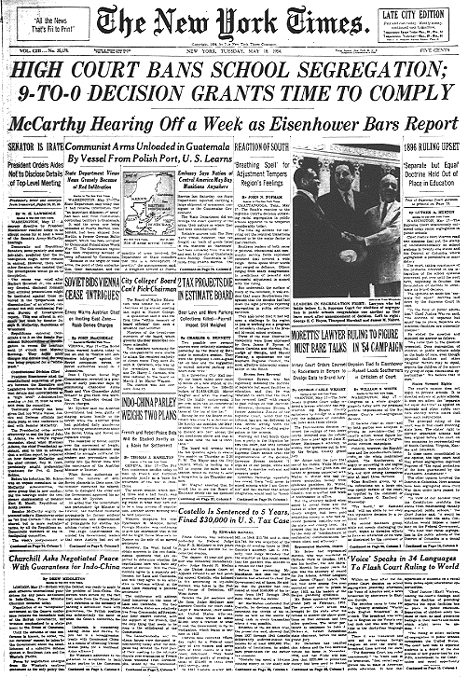
Check out these great resources to get your kids talking about the Little Rock Nine- nine black students their age who were among the first to step foot in white schools after sixty years of “separate but equal” laws.

Start the discussion

Check out this Collaborize Classroom topic from the TregoED library “Put Yourself in the Shoes of the Little Rock Nine” which uses an interview with Melba Beals – as she describes her point of view as one of the Little Rock Nine students.
Follow it up with the free lesson:  “Desegregating Schools:  A Historical Perspective” from the SCAN library at TregoED.  Students will discuss the issues of desegregation through the eyes of Linda Brown, parents, community members and local police as they work to resolve the problems that occurred when the schools had to desegregate with “all deliberate speed.”

More Resources: 

Primary documents:
Children’s nonfiction titles:
Online curriculum:
Background information:

Relevance and rigor:  the key to keeping kids engaged and thinking!

Saturday, January 14, 2012

Great discussions can lead to great writing!


Do you talk about race in the classroom?  Will students shy away from participating?  Using online discussion tools can help get all of your students involved in the conversation.  Modeling and practicing the rules of netiquette can make your students comfortable and feel validated.

Check out this lesson from the Collaborize Classroom library:
“Read this article with teen responses to the question “Has Martin Luther King’s dream been realized?"  Select one student’s answer and state whether you agree or disagree with their perspective.  If so, what strong points did he or she make? What could you add to his or her argument?
If you disagree, explain why. Identify areas of his explanation that were underdeveloped. What concerns do you have about this topic that he/she did not address?  After posting your response, read your classmates’ opinions and post a substantive reply to a student with an opposing viewpoint. Ask questions, present counterarguments and compliment strong points made.”

This assignment is a great prerequisite to writing a thoughtful essay.  Reading other student's answers can help jumpstart your student’s thinking.  Having students answer these questions in a free, private Collaborize Classroom will get them thinking and engaged.  Follow up with the “Dr. King’s Dream” SCAN lesson to increase their content knowledge.  You can improve your student’s essay writing by providing topics that are engaging and relevant, giving them time to think and access to resources.  Online discussion tools can get students involved in discussions to get them thinking and writing.