Search this blog

Showing posts with label integration. Show all posts

Friday, June 29, 2012

Unpacking my Tote Bag


Sometimes as an educator I am happy to float along with the current, navigate the rapids and come out the other side unscathed.  I have been fortunate to be able to attend some great conferences this year and it is time to unpack the tote bags as I prepare to write curriculum and activities for another year.  Professional development should not be considered an event, but a paddle stroke that will push you forward and focus your direction.  
From PD to Action
Now that you have at least a month before you re-enter the classroom, how will you capitalize on your learning?  What issues, concerns, or techniques would you like to address or implement in your classroom next year?    What have you learned that will change the way you do your work or change the way your students will do theirs?  What’s in your tote bag?

Unpacking and Repacking
I have to admit, I have quite a few tote bags, some barely get unpacked (and I have one that is just filled with SWAG- great prizes for the classroom or souvenirs for your own children- I used to bring my children the little boxes of cereal...but I digress).   I have a middle level education tote bag, some content area tote bags, a common core tote bag and my newest – an ISTE technology integration tote bag chock full of 101 ideas, tools, apps and best practices.  The key is to take what I have gleaned from the numerous sessions I have attended and apply my learning into my practice one step at a time.  You should not feel that you have to throw out the baby with the bath water (which is a terrible saying now that I think about it). 

Upgrade One Step at a Time
My point is that you should take some of those great lessons, ideas, and practices and massage them into your teaching.  Rather than taking new stuff and fitting it into you already full curriculum, look at your old stuff and see what makes sense to upgrade.  For example, if you are going to discuss the upcoming elections, why not have students look at one issue, research different perspectives, teach them civil discourse in a discussion tool such as SCAN at Tregoed.org or Collaborize Classroom?  Adding critical thinking strategies, problem solving and collaboration to your content is a great way to upgrade your lessons.  It is not about the tools, it is how you use them.  Take a look at those essential questions in a new way and develop an authentic problem based challenge around it.  You do not have to re-do your school year; just make adjustments that will get your students to think critically and explore different perspectives.

I sometimes leave conferences overwhelmed with all of the possibilities and have to reel myself in. What are you most excited about trying next year with your students or staff?    What’s in your tote bag?   

Saturday, April 7, 2012

Great Interactive Resources for Earth Day

Looking for some great ideas and resources to help celebrate earth day?  Want to break up the testing blues, get kids thinking and writing in an engaging way?

Paper or plastic?

Start a discussion on something that is both relevant to them and authentic.  They may not be able to directly influence gas prices or oil drilling, but they can certainly make wise choices in their own lives.  Start with the simple question “paper or plastic?”


Check out this great interactive lesson “Battle of the Bags.” Videos and interactive sections provide students with different points of view on the Paper vs. Plastic debate.  Assign students a point of view to focus on, have them debate, write persuasively or use it to provide background information for a SCAN session.


Follow that up with a four perspective discussion using the simple SCAN (see the issues, clarify the issues, assess what’s important, now what should we do?) critical thinking strategy built into the SCAN discussion platform at TregoED.org.  "The Environmental Debate:  Paper or Plastic" is one of over 100 free scenarios.


Want a hands-on experiment to go with it?  Try out this free lesson to determine “Which kind of trash bag breaks down the fastest?"


Let students see where their garbage or recyclables go on collection day by selecting and following their trail at "Beyond the Barrel" site for kids.


The Story of Stuff is a 20 minute online cartoon that traces our “stuff” from its creation to its cremation.  This video definitely represents one point of view.  Can your students determine what other points of view may be?  Can they pick out the persuasive language used? Use this video to launch a discussion that goes beyond the content.


National Geographic's "Human Footprint" offers a fun interactive site that allows children to see what their human footprint is on the earth.  There is a lot of potential for math lessons here as they calculate the number of loaves of bread or eggs you eat in a year and illustrate the impact of your choices.


Looking for more?


Teachersfirst.org has a great selection of links and resources on earth day:  You can find all sorts of great links and resources using their searchable data base of reviewed activities.

You can also find a great list of links and resources for Earth Day at Edudemic.


Earth Day is a great day to integrate technology science, language arts, math and history.  What will you be doing?

Thursday, March 22, 2012

Do You Walk the Walk?

What do you get when you mix ISTE and NASA resources, a select group of educators from across the globe, and a challenge to create educational artifacts for teachers and students to learn about the Magnetospheric MultiScale Mission (MMS)?
You get educators walking the walk- incorporating web 2.0 tools and networking skills to build an international learning community – starting with a base camp at the Iste-Nasa Cyber CafĂ© Wiki and branching out to use Edistorm , Skype, google docs, Voice Thread and other tools  just to begin.  What a great learning experience to explore and utilize the capacity of some of these tools.  It increased my skills, exposed me to some great new tools and ways to use some old ones.  It also taught me the power of online collaboration with like and unlike minded educators.
 The results?  A series of showcases waiting to be unveiled on March 27th at a synchronous celebration. 

Sneak Peak
I can share a little of ours now.  I had the pleasure of working with Jennifer Miller and her students in Dublin Texas and Tom Chambers a teacher of technology applications from Houston, Texas.   We put together the “Take the MMS Challenge” which features student research, application of the scientific method and culminating in students working as engineers, physicists, artists, or journalists to help others understand why the MMS mission is relevant in our everyday lives.
Our project can be found in this livebinder  with teacher guides, student activities, resources, web 2.0 tools and enrichment activities.  Feel free to get in there and “test pilot” the project or individual activities.  We would love your feedback!
Interested in introducing your kids to the mission, the Collaborize Classroom library has custom made questions in their library ready to go with links to some great videos and current events.  Great way to get kids reading informational text and writing for an audience!  Want to go further?  Try out the new SCAN lesson designed to get students to explore the relevance of the mission from different points of view.   “Space Exploration and You: SCAN The NASA MMS Mission” is a new free SCAN scenario designed to get kids thinking from different perspectives about the relevance of the mission. 

Now what?
Needless to say, it was a wonderful experience to walk the walk and integrate all of these tools to successfully make a professional learning community that spanned across the globe.  I am wondering how educators create these wonderful communities of learning for their students but do not create the same for their colleagues? 


Saturday, March 17, 2012

Teachers Value Increases with Technology

I heard a story the other day about a man who slipped a disk when he was young and had extensive surgery resulting in a six inch scar and a six month recovery period (and a whole year out of PE!).  Ten or so years later, he slipped another disk.  This time the surgery was not as extensive, the scar not as long and the recovery period was shortened to a week or so.  Recently a friend of his had the same surgery.  This time it was out-patient, a half-inch incision and back to work two days later.  We all know that there have been great advances in medicine through the wonders of technology, but even more amazing was all three surgeries were by the same doctor.   Of course, we expect our doctors to keep up with all the latest techniques and technology – or be the target of malpractice suits.

The gentleman telling the story (and main character) was Jon Landis, a former educator and Development Executive with Apple Inc. at the recent NJAET conference.  Although I may not have gotten all the details of his story perfect, I did get the point.  His point was that technology has drastically changed the way that we all work and learn.  Teaching is no different.  Technology is not replacing us but making us more valuable.  We cannot stay in the classroom and ignore the communication revolution that is all around us.
Landis pointed out that "your value as a teacher is no longer your ability to deliver content, content is free, content is ubiquitous, content is good."  We may have been replaced as content providers,  however, our job is even more important now.  Students need to be able to digest content, not just spit it back out.  We need to help our students understand the context, take it apart, and reassemble it into relevant connections and original thought.  No easy task.

He is right, of course, content is ubiquitous.  One need only look at the various free offerings from Kahn Academy (over 3000 videos to “Watch. Practice. Learn almost anything for free.”) or through iTunes U (with a growing library of courses and the ability to create your own) to see the overwhelming amount of content our students hold in the palm of their hand.  Class time, then, needs to become the time that students “play” with the content, contextualize, collaborate, apply and synthesize.
This is where having a good grasp on strategies to get our students thinking critically and creatively comes in to play.  We need to become the problem person, not the answer person.  Our classes need to be creative, with hands-on activities and engaging discourse.  I have found that online discussion platforms strengthen engaging discourse by democratizing conversations, allowing every student an equal opportunity to contribute.  These discussions can engage students in powerful ways, providing rich introductions or extensions to course content.

There is great power in using TED talks and activities to get students thinking about further applications and connections to course content.  Integrating tools such as SCAN (with the built in critical thinking strategy and representing different perspectives) and Collaborize Classroom  (with a full library of higher level thinking activities and interactive discussions) gives our students the opportunity to take an active role in their learning and provides teachers with a simple to implement lesson upgrade.

The bottom line is that, we, as teachers need to embrace the technology (As Landis stated “the internet is not a fad”) and adjust accordingly.  Just like our students, we need the time to “play” with all of the great content we receive on good teaching, time to practice, collaborate, and upgrade our lessons.  Start with some simple tools, one lesson or unit, one homework assignment, but get started.

Thursday, February 23, 2012

Current Events Prompt Critical Thinking!


I remember “doing” current events back in my day (you know – when the current event was “new vaccine for polio” or “teacher burned when stoking the coal fire”).   We tore them out of the paper, identified the who, what, where and why and if called upon read them aloud in class.  I don’t ever think that I connected the current event to my studies or to my life.  Today students are bombarded with current events in every way imaginable.  Teachers that make the connections in their classroom, reap the rewards. 

Award-winning Lesson

One such teacher is MaryAnn Molishus from Goodnoe Elementary School in Newtown, PA.  Just like many other teachers, Mrs. Molishus set up a bulletin board to welcome her students (with the help of her daughter).  The graffiti style lettering and a local news report on vandalism in her town inspired a critical thinking problem solving project for her students.  What better way to help her 5th graders understand the essential questions “How do rules protect individual rights as well as meet the needs of society?” And “What are the responsibilities of a good citizen?” than to help her students see this popular art form from different perspectives.

Teaching Perspectives

Maryanne developed a scenario for the SCAN tool with four perspectives (art historian, property owner, graffiti artist, and police officer) and enriched the lesson with some online resources.  Using the online discussion tool, students explored the issues and suggested solutions to the problem.
Maryann was thrilled that “they not only learned about this community issue but learned to discuss a topic, consider other points of view, stay on point while chatting online and understand that there are many facets to one issue.”  To further enrich the lesson, students went on to examine new proposed legislation set to ban the sale of spray paint to minors in their home state.  They were encouraged to determine a position on the new law and write to their government officials to persuade them to vote for or against the law. Now, that’s making a lesson rigorous and relevant!

Reaping the Rewards!

Mrs. Molishus was able to integrate community issues, reading, writing, research, government, digital and community citizenship starting with a current event and the SCAN tool from TregoED.  She not only addressed the standards that students must meet in social studies, but also encouraged them to appreciate other perspectives and participate in the democratic process.  Kudos to you Mrs. Molishus for creating a lesson that gets them thinking and congratulations to your students on a job well done!

Note:  You can find Mrs. Molishus' lesson "Graffiti:  Freedom of Expression or Vandalism?" in the TregoED SCAN library

Saturday, February 18, 2012

Find the time to upgrade your lessons for the 21st Century

Over the last few weeks, I have heard some great ideas for making my lessons more effective in the classroom.  I am not resistant to change and technology integration, but like most, I don’t always have time for all of the logistics.  Guess what, I just found the time!
This is my lucky month.  No excuses!  I have an extra day!  Inspired by Heidi Hayes Jacobs (at FETC) I am going to take one small step and upgrade just one lesson for the 21st Century. Why not ask your principal if you could leap over one faculty meeting and spend the time upgrading the content, skills and assessments to bring it into 21st Century ?  Surely you have one lesson that could use an overhaul!   Technology can provide ideas, content, tools to help you do just that.

Looking for some ideas?  Visit www.curriculum21.com  for a comprehensive library of lessons that reflect upgrades in content, delivery, and assessments.

Upgrade your content by linking to videos from youtube or schooltube to give students a visual introduction to lessons.  Use Google News to search for current events on specific topics.  Visit the Library of Congress site to find primary documents.  There are many new ways to upgrade your content.  Did you know that Wikipedia is now considered as reliable as Encyclopedia Britannica?

Incorporate the 4C’s – creativity, collaboration, critical thinking and communication.
Is brainstorming part of your lesson?  Use wallwisher, linoit, or edistorm – simple post it note tools.  Students can see each other’s postings, reflect and comment on them.  Media and other resources can be attached to postings.

Do you hold class discussions?  Get kids started with a prompt in a discussion tool, like Collaborize Classroom  including visuals, informational text, etc to start the discussion at home.  Collaborize Classroom, a free discussion platform has a whole library of high quality questions that can be copied to your classroom site with the push of a button.

Are you looking for problem or challenge based learning?  Use the SCAN tool at TregoED to teach students a problem solving strategy based on the acronym SCAN.  Use the free problem based scenarios to have your students participate in a session practicing true collaboration.  Lessons are easy to set up and students just log in with a screen name (no registration, passwords, etc.)

No matter what you chose to upgrade, technology can decrease your workload, increase student engagement and give them opportunities to practice 21st century skills within the content.

Take advantage of of leap day!  Take the time to take the first step.  (And while you’re at it, why not ask your principal to take the leap and let you use the time at another faculty meeting sharing your successes?)

Friday, February 3, 2012

Making Black History Month Relevant to Teens

Want to make your black history month studies more relevant to your students? Get them to think historically by getting them to “walk a mile in someone else's shoes.” 

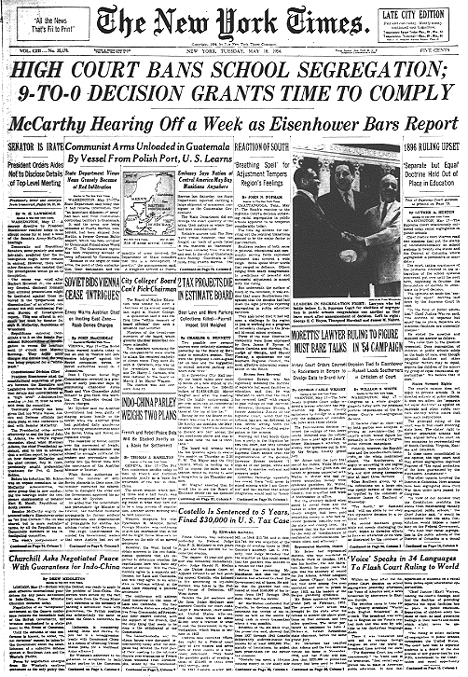
Check out these great resources to get your kids talking about the Little Rock Nine- nine black students their age who were among the first to step foot in white schools after sixty years of “separate but equal” laws.

Start the discussion

Check out this Collaborize Classroom topic from the TregoED library “Put Yourself in the Shoes of the Little Rock Nine” which uses an interview with Melba Beals – as she describes her point of view as one of the Little Rock Nine students.
Follow it up with the free lesson:  “Desegregating Schools:  A Historical Perspective” from the SCAN library at TregoED.  Students will discuss the issues of desegregation through the eyes of Linda Brown, parents, community members and local police as they work to resolve the problems that occurred when the schools had to desegregate with “all deliberate speed.”

More Resources: 

Primary documents:
Children’s nonfiction titles:
Online curriculum:
Background information:

Relevance and rigor:  the key to keeping kids engaged and thinking!

Friday, September 23, 2011

Celebrate the Freedom to Read: Use Banned Books Week to Get Them Thinking!


Are your students’ favorite books on the list?  Celebrate the freedom to read by celebrating Banned Books Week!  Have students take a look at the top 10 challenged or banned book list for 2010 list to see if they have read any of the books.  Students will see some of their favorite series – Twilight, The Hunger Games, Harry Potter- on the list of banned and challenged books.  How do they feel about banning these books from the school library? Have them go to this great google map  (found through Richard Byrne’s Free Technology for Teachers blog) that pinpoints banned or challenged books in their state!  Tie it all together with a guided online discussion with your class using the TregoED SCAN tool and the free lesson “Book Banning and the First Amendment.”  (Free until Oct 1, 2011) Students will use the built in problem solving strategy to increase understanding, recognize point of view and develop reasoned solutions to book banning. TregoED is offering a free webinar on September 27th to get you started. 
Extend this lesson further by discussing banned websites! There are plenty of websites that are blocked from schools.  Is this necessary?  Who should get to decide what is appropriate and what is not for our students?