Search this blog

Showing posts with label education. Show all posts

Tuesday, April 12, 2016

Thinking Moves and Other Great Routines for Learning


We all know that learning doesn’t happen through the mere delivery of information or we would all be geniuses, after all information is coming at us a mile a minute these days.  Learning only occurs when we do something with that information.  For our students, that might mean that they can identify the parts, develop questions around, look at different perspectives, reason, make connections and synthesize explanations with the content they are given.

Thinking Moves
The people at Harvard’s Project Zero call these “thinking moves” and have demonstrated that they are the activities that lead to learning.  These folks have also substantiated what I have been saying all along “When kids have structures for learning, better learning emerges.” They assert that you can teach children learning routines, give them a repertoire of “thinking moves” from a very young age, that will deepen their qualitative and quantitative understanding of the world.  Learn more 
Sourced from:  The Cultures of Thinking Project at Project Zero Harvard Graduate School of Education
Now, that’s what I’m talking about!
Teaching kids how to think, connect and use the information that they are getting is the whole gist of any classroom.  So, what if you don’t get kids at a very young age?  What if they come to you without a repertoire of thinking moves?  Well, it is never too late to give them a “thinking routine” that can help them understand and clarify the issues, develop arguments, assess what is important and name what should happen next.  SCAN is the perfect thinking routine to introduce your middle school and above to a deeper understanding of the issues, regardless of the content area that you teach.  SCAN, explained in my last blog, is a simple thinking routine that is easy enough for adolescents to use and robust enough to be valuable for school leaders.

Bottom Line
Making good thinking processes routine for our students can help them become better learners and is giving them a tool that they can use for life.  Teaching kids how to think, not what to think, should be our ultimate goal. How do you promote thinking in your classroom?

BTW: Free Tech Tool gets them started
The SCAN online tool, a collaborative internet site due to go offline on June 30th, has got the SCAN critical thinking “routine” built into it.  With its engaging online discussion style and library with a variety of topics (plus you can write your own), it is a great way to get kids to develop that thinking routine and incorporate it into their daily lives and your daily lessons.  Check out this simple video to see how the free SCAN tool works.

Thursday, August 28, 2014

Education: Against all Odds

Imagine if you got ALL of your nourishment, for your mind, body, and soul from one place.  This place is not in your home or kitchen, your computer, or in the palm of your hand.  It is not on your TV, radio, or other electronic device.  In fact, it is not near-by; you will have to walk miles to get there.  It is your school.
Looking out the school window

I had the opportunity to travel to Zambia this summer to see firsthand how education can drastically change lives. I have seen it many times in the US, we give kids opportunities and choice and expose them to all kinds of resources in the hope that they will solve the problems of the world.  In Zambia, education is their one hope to bring a large portion of their country out of poverty.
We visited and worked in some of the poorest schools in the country.  These cement-block schools (many were churches) were in the middle of a compound, surrounded by high walls, locked behind gates – no electricity, no lights, no resources…and yet, the benches were full of eager learners.  Why not?  This is Zambian TV, as good as it gets, literally food for their mind, body, and soul. 
I have made a living teaching kids how to think critically, how to solve problems, and how to see things from different perspectives.  “Seeing things from a different perspective” has a whole new meaning for me.  Cultural differences are real, concrete, and amazing to experience.  Even more amazing is the human factors that we all have in common. 


Child with imaginary truck

Kids are kids
The kids that we visited lived in a city, they have seen TV, video games, computers – they do not own them.  They play like our kids play- they use their imagination – a shoe is filled with rocks and becomes a truck, a plastic bag on a string becomes a kite, or two fingers are used as a loom to make a bracelet.  They laugh, sing, recite, respond, and participate just like our kids do.  We tried out some lessons before the trip with some kids from the Mt. Olive Middle School – we made balloon rockets and trading cards.  The kids in Zambia loved the activities (as did their counterparts).  They loved reading the American’s kids trading cards (and true to Middle school kids, the boys all wanted a girls card!) and took great care making the cards that we were bringing back with us.
Holding the trading cards sent to them by kids in the US

On the edge of their seats doing math factors

Well-used blackboards!

Teachers are teachers
Despite having just an old chalkboard, the teachers in Zambia all had objectives on the board (btw almost all schools had a mission statement painted on the outside of their walls), the lessons were rigorous and relevant.  Although English is the official language of Zambia, children are taught their tribe’s language – one of 72 different languages in the country, so essentially they all start out as ESL students.  Posters around the rooms are handmade.  Electricity is optional.  Despite the almost total lack of resources, these teachers take their jobs seriously (after all, the children have a National Exam to take!).  They are proud of their students, their accomplishments and what they can give to them. 

Just like the teachers in Zambia, we take our jobs seriously, and work with what we have (sometimes an embarrassment of riches) everyday to maximize the opportunities to nourish the mind, body and soul of the kids that we serve!  We recognize that for some of our kids, we are the soul source of stability and nurturing in their lives.

For more details on our trip to Zambia go to:  sangoestozambia.blogspot.com
PS  I was approached by a teacher with three computers - little to no internet...looking for educational games to use with his kids...must be downloadable....ideas?

Saturday, August 25, 2012

Lesson Failed: Do you have a Plan B?


For those of us starting school after Labor Day, August Anxiety is setting in.  Those nights where you are tossing and turning with new ideas, things you know you want to do differently and the anticipation of being “back to school.”  The week before school starts the idea pad next to my bed has all sorts of scribbles on it (some of which I cannot decipher!).    Planning is the key to a successful year.  Most people think that teachers’ time is split between classroom and grading papers.  The truth is, planning takes the most time. A good plan has a diversity of activities, movement, student interaction, hands-on, differentiation, accurate content, assessment, tech integration, etc.   Most people can’t even handle all the planning it takes to keep ten kids busy at a two hour birthday party.  What would they do with double the amount of children, a tight budget and grandiose learning objectives?
Getting Started
The first week of school is perhaps the most daunting as both yours and your students’ routines have to be established.  Not just school routines, but home routines as well, sleeping, dressing and eating changes drastically for everyone!  Throw in all those extra housekeeping tasks – class lists, gradebooks, sub plans, and for many of us real housekeeping tasks…. it can be overwhelming!
Step one:  Planning your room out
I know a lot of teachers who have gone back to the building to decorate their rooms.   I have to admit, that some of the rooms are a bit intimidating!  My advice is to keep it simple and let the student’s work be your décor.  My best bulletin board was a brick wall background and letters that said “Wall of Fame.” On day one, I described how you could get on the wall of fame (it was not easy) and when you achieved it, you could use whatever font you wanted, write your name, print it out and post it.  Kids loved getting on the wall!
Step Two:  Planning your lessons:  Expect the unexpected
There is no such thing as a perfect plan- there are just too many variables in schools – if you were working with widgets or robots, you might have a chance, but kids (adults too) and all the business (read busy-ness) of a school, always has the potential wrench to throw in the works.  Even if you teach the same lesson objectives 5 times in one day, you will see that what works with one class, student or time of day, will not work with another.  Be flexible.  All classes do not have to be in the exact same place at the exact same time.  And above all have a PLAN B.
Plan B
The most important lesson that I learned over the years was to always have a plan B.  I used a mini PBL that I introduced at the beginning of the year for students.  Each student had a folder with their challenge check list in it – they worked on this challenge when they had extra class time, when class was disrupted for assemblies, field trips, when a sub was in, etc.  They kept their work in the folder and the folder in the room.  My mini-challenge was all about inventions – I had computer games, links, patent info, Rube Goldberg activities, 20 ways to improve the pencil etc.  Much more than a folder full of worksheets.  Students could do the parts in any order.  All challenge activities led to them coming up with their own invention.  The grand finale was showing off their invention prototype and demonstrating it to the class.  We have had some great ones!

We all know the importance of a great plan A, but having a great plan B can insure that the learning continues no matter what the circumstances
What’s your favorite plan B?

Thursday, June 14, 2012

3 Rules to Practice for Good Digital Citizenship

With lowering the legal age on Facebook in the news, it is even more important that our students now learn how to practice good digital citizenship.  Although there does not seem to be “rules” out there in cyberspace, students need to be aware that there are.  We should have the same expectations of tolerance, manners, and civil discourse that we have in face to face conversations.  Bringing these tools into the classroom is an excellent opportunity to gets our students engaged in content and teach them civil discourse and proper communication skills in a digital world.

Good digital citizenship is no accident
How do you get to Carnegie Hall?  Practice, practice, practice!  The same thing goes for teaching students good digital citizenship skills.  I have found that teaching three fundamental rules and allowing students to practice digital citizenship, got my students off on the right foot.  Mary Beth Hertz’s blog entry at Edutopia.org points out that we as teachers need to pay as much attention to teaching digital citizenship as we do teaching them to become good classroom citizens. 

Three Fundamental Rules
When practicing good digital citizenship, I taught my students three fundamental rules:

  1. Show Respect:   Many people, adults and children alike, feel a certain freedom when they are “hiding behind” a screen name or computer screen.  Some use this freedom to express their opinions more freely and some use it to lash out.   Students using screen names and avatars in online discussions should be taught that the rules of class discussion – respect, staying on topic, and clear communication- carry into the online world.  Before you enter into an online discussion tool like SCAN from TregoED , Collaborize Classroom, or Edmodo you should make your expectations clear.  You can find a great set of rules to teach students to “Interact with Tact” or practice the 10 Core Rules of Netiquette.  These lists of rules point out seemingly obvious things like  “politeness counts” and “avatars are people too” and explain how they apply  to digital discussions.
  2.  Practice Civil Discourse:   Before they go online, give your students the “Dos and Don’ts of Online Student Conversation”, a set of guidelines focused on teaching students how to practice civil discourse.   This set of guidelines from Collaborize Classroom gives students some great pointers like “critique the content and not the person” and comment starters to use when they are engaged in debate online such as:
·         I respectfully disagree with Lawrence’s assertion….
·         I really appreciate Deborah’s insight into….
·         Thank you, Manuel, for sharing….
·         Great point, Angela! Have you considered…?
Great models for practicing civil discourse.
  1.  Stay on Topic:  It is perhaps a reluctant teacher’s number one fear that students will say something inappropriate online.  When students have the opportunity to talk in class, you run the same risk.   Why would you expect anything different in online discussions?  Although students may be more tempted to speak out of line in an online discussion, you will also have a clear record of it.  No more, “he said, she said.”  I find pointing this out, monitoring the conversation and addressing students that stray, can help teach them this very important lesson.
There are lots of opportunities, platforms and guidelines to have students practice good digital citizenship in any content area, that are free, flexible and private- perfect practice rooms to get students started on a path of good digital citizenship.  How do you incorporate lessons in digital citizenship in your classroom?

Thursday, March 22, 2012

Do You Walk the Walk?

What do you get when you mix ISTE and NASA resources, a select group of educators from across the globe, and a challenge to create educational artifacts for teachers and students to learn about the Magnetospheric MultiScale Mission (MMS)?
You get educators walking the walk- incorporating web 2.0 tools and networking skills to build an international learning community – starting with a base camp at the Iste-Nasa Cyber Café Wiki and branching out to use Edistorm , Skype, google docs, Voice Thread and other tools  just to begin.  What a great learning experience to explore and utilize the capacity of some of these tools.  It increased my skills, exposed me to some great new tools and ways to use some old ones.  It also taught me the power of online collaboration with like and unlike minded educators.
 The results?  A series of showcases waiting to be unveiled on March 27th at a synchronous celebration. 

Sneak Peak
I can share a little of ours now.  I had the pleasure of working with Jennifer Miller and her students in Dublin Texas and Tom Chambers a teacher of technology applications from Houston, Texas.   We put together the “Take the MMS Challenge” which features student research, application of the scientific method and culminating in students working as engineers, physicists, artists, or journalists to help others understand why the MMS mission is relevant in our everyday lives.
Our project can be found in this livebinder  with teacher guides, student activities, resources, web 2.0 tools and enrichment activities.  Feel free to get in there and “test pilot” the project or individual activities.  We would love your feedback!
Interested in introducing your kids to the mission, the Collaborize Classroom library has custom made questions in their library ready to go with links to some great videos and current events.  Great way to get kids reading informational text and writing for an audience!  Want to go further?  Try out the new SCAN lesson designed to get students to explore the relevance of the mission from different points of view.   “Space Exploration and You: SCAN The NASA MMS Mission” is a new free SCAN scenario designed to get kids thinking from different perspectives about the relevance of the mission. 

Now what?
Needless to say, it was a wonderful experience to walk the walk and integrate all of these tools to successfully make a professional learning community that spanned across the globe.  I am wondering how educators create these wonderful communities of learning for their students but do not create the same for their colleagues? 


Saturday, March 17, 2012

Teachers Value Increases with Technology

I heard a story the other day about a man who slipped a disk when he was young and had extensive surgery resulting in a six inch scar and a six month recovery period (and a whole year out of PE!).  Ten or so years later, he slipped another disk.  This time the surgery was not as extensive, the scar not as long and the recovery period was shortened to a week or so.  Recently a friend of his had the same surgery.  This time it was out-patient, a half-inch incision and back to work two days later.  We all know that there have been great advances in medicine through the wonders of technology, but even more amazing was all three surgeries were by the same doctor.   Of course, we expect our doctors to keep up with all the latest techniques and technology – or be the target of malpractice suits.

The gentleman telling the story (and main character) was Jon Landis, a former educator and Development Executive with Apple Inc. at the recent NJAET conference.  Although I may not have gotten all the details of his story perfect, I did get the point.  His point was that technology has drastically changed the way that we all work and learn.  Teaching is no different.  Technology is not replacing us but making us more valuable.  We cannot stay in the classroom and ignore the communication revolution that is all around us.
Landis pointed out that "your value as a teacher is no longer your ability to deliver content, content is free, content is ubiquitous, content is good."  We may have been replaced as content providers,  however, our job is even more important now.  Students need to be able to digest content, not just spit it back out.  We need to help our students understand the context, take it apart, and reassemble it into relevant connections and original thought.  No easy task.

He is right, of course, content is ubiquitous.  One need only look at the various free offerings from Kahn Academy (over 3000 videos to “Watch. Practice. Learn almost anything for free.”) or through iTunes U (with a growing library of courses and the ability to create your own) to see the overwhelming amount of content our students hold in the palm of their hand.  Class time, then, needs to become the time that students “play” with the content, contextualize, collaborate, apply and synthesize.
This is where having a good grasp on strategies to get our students thinking critically and creatively comes in to play.  We need to become the problem person, not the answer person.  Our classes need to be creative, with hands-on activities and engaging discourse.  I have found that online discussion platforms strengthen engaging discourse by democratizing conversations, allowing every student an equal opportunity to contribute.  These discussions can engage students in powerful ways, providing rich introductions or extensions to course content.

There is great power in using TED talks and activities to get students thinking about further applications and connections to course content.  Integrating tools such as SCAN (with the built in critical thinking strategy and representing different perspectives) and Collaborize Classroom  (with a full library of higher level thinking activities and interactive discussions) gives our students the opportunity to take an active role in their learning and provides teachers with a simple to implement lesson upgrade.

The bottom line is that, we, as teachers need to embrace the technology (As Landis stated “the internet is not a fad”) and adjust accordingly.  Just like our students, we need the time to “play” with all of the great content we receive on good teaching, time to practice, collaborate, and upgrade our lessons.  Start with some simple tools, one lesson or unit, one homework assignment, but get started.

Thursday, February 23, 2012

Current Events Prompt Critical Thinking!


I remember “doing” current events back in my day (you know – when the current event was “new vaccine for polio” or “teacher burned when stoking the coal fire”).   We tore them out of the paper, identified the who, what, where and why and if called upon read them aloud in class.  I don’t ever think that I connected the current event to my studies or to my life.  Today students are bombarded with current events in every way imaginable.  Teachers that make the connections in their classroom, reap the rewards. 

Award-winning Lesson

One such teacher is MaryAnn Molishus from Goodnoe Elementary School in Newtown, PA.  Just like many other teachers, Mrs. Molishus set up a bulletin board to welcome her students (with the help of her daughter).  The graffiti style lettering and a local news report on vandalism in her town inspired a critical thinking problem solving project for her students.  What better way to help her 5th graders understand the essential questions “How do rules protect individual rights as well as meet the needs of society?” And “What are the responsibilities of a good citizen?” than to help her students see this popular art form from different perspectives.

Teaching Perspectives

Maryanne developed a scenario for the SCAN tool with four perspectives (art historian, property owner, graffiti artist, and police officer) and enriched the lesson with some online resources.  Using the online discussion tool, students explored the issues and suggested solutions to the problem.
Maryann was thrilled that “they not only learned about this community issue but learned to discuss a topic, consider other points of view, stay on point while chatting online and understand that there are many facets to one issue.”  To further enrich the lesson, students went on to examine new proposed legislation set to ban the sale of spray paint to minors in their home state.  They were encouraged to determine a position on the new law and write to their government officials to persuade them to vote for or against the law. Now, that’s making a lesson rigorous and relevant!

Reaping the Rewards!

Mrs. Molishus was able to integrate community issues, reading, writing, research, government, digital and community citizenship starting with a current event and the SCAN tool from TregoED.  She not only addressed the standards that students must meet in social studies, but also encouraged them to appreciate other perspectives and participate in the democratic process.  Kudos to you Mrs. Molishus for creating a lesson that gets them thinking and congratulations to your students on a job well done!

Note:  You can find Mrs. Molishus' lesson "Graffiti:  Freedom of Expression or Vandalism?" in the TregoED SCAN library

Saturday, February 18, 2012

Find the time to upgrade your lessons for the 21st Century

Over the last few weeks, I have heard some great ideas for making my lessons more effective in the classroom.  I am not resistant to change and technology integration, but like most, I don’t always have time for all of the logistics.  Guess what, I just found the time!
This is my lucky month.  No excuses!  I have an extra day!  Inspired by Heidi Hayes Jacobs (at FETC) I am going to take one small step and upgrade just one lesson for the 21st Century. Why not ask your principal if you could leap over one faculty meeting and spend the time upgrading the content, skills and assessments to bring it into 21st Century ?  Surely you have one lesson that could use an overhaul!   Technology can provide ideas, content, tools to help you do just that.

Looking for some ideas?  Visit www.curriculum21.com  for a comprehensive library of lessons that reflect upgrades in content, delivery, and assessments.

Upgrade your content by linking to videos from youtube or schooltube to give students a visual introduction to lessons.  Use Google News to search for current events on specific topics.  Visit the Library of Congress site to find primary documents.  There are many new ways to upgrade your content.  Did you know that Wikipedia is now considered as reliable as Encyclopedia Britannica?

Incorporate the 4C’s – creativity, collaboration, critical thinking and communication.
Is brainstorming part of your lesson?  Use wallwisher, linoit, or edistorm – simple post it note tools.  Students can see each other’s postings, reflect and comment on them.  Media and other resources can be attached to postings.

Do you hold class discussions?  Get kids started with a prompt in a discussion tool, like Collaborize Classroom  including visuals, informational text, etc to start the discussion at home.  Collaborize Classroom, a free discussion platform has a whole library of high quality questions that can be copied to your classroom site with the push of a button.

Are you looking for problem or challenge based learning?  Use the SCAN tool at TregoED to teach students a problem solving strategy based on the acronym SCAN.  Use the free problem based scenarios to have your students participate in a session practicing true collaboration.  Lessons are easy to set up and students just log in with a screen name (no registration, passwords, etc.)

No matter what you chose to upgrade, technology can decrease your workload, increase student engagement and give them opportunities to practice 21st century skills within the content.

Take advantage of of leap day!  Take the time to take the first step.  (And while you’re at it, why not ask your principal to take the leap and let you use the time at another faculty meeting sharing your successes?)

Friday, February 3, 2012

Making Black History Month Relevant to Teens

Want to make your black history month studies more relevant to your students? Get them to think historically by getting them to “walk a mile in someone else's shoes.” 

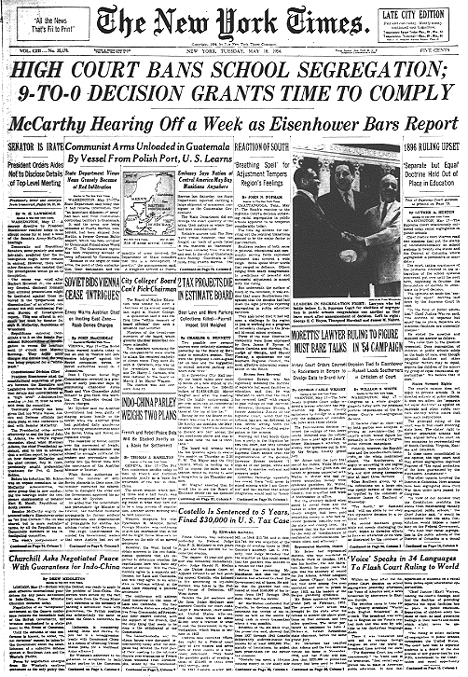
Check out these great resources to get your kids talking about the Little Rock Nine- nine black students their age who were among the first to step foot in white schools after sixty years of “separate but equal” laws.

Start the discussion

Check out this Collaborize Classroom topic from the TregoED library “Put Yourself in the Shoes of the Little Rock Nine” which uses an interview with Melba Beals – as she describes her point of view as one of the Little Rock Nine students.
Follow it up with the free lesson:  “Desegregating Schools:  A Historical Perspective” from the SCAN library at TregoED.  Students will discuss the issues of desegregation through the eyes of Linda Brown, parents, community members and local police as they work to resolve the problems that occurred when the schools had to desegregate with “all deliberate speed.”

More Resources: 

Primary documents:
Children’s nonfiction titles:
Online curriculum:
Background information:

Relevance and rigor:  the key to keeping kids engaged and thinking!

Thursday, February 2, 2012

Celebrating Digital Learning Together


Students in Mrs. Portland’s class in Pottsville Area High School, recently celebrated Digital Learning day by joining in a classroom discussion with students hundreds of miles away at Mt. Olive High School in NJ.  Digital Learning Day, organized the Alliance for Excellent Education, is a “nationwide celebration of innovative teaching and learning through digital media and technology that engages students and provides them with a rich, personalized educational experience.”  On Digital Learning Day thousands of teachers and nearly two million students joined in encouraging digital learning by trying something new and showcasing their success.

Classroom Discussions in the Cloud
Students used the SCAN tool, designed by TregoED to promote critical thinking on complex issues, to examine the issue of cell phones in schools from four different perspectives.  As they played the roles of teachers, administrators, students and parents they brought out the issues, benefits and drawbacks, of using cell phones in school and collaborated on ideas to develop a working policy or plan to resolve those issues.  As students used screen names and avatars, they could not differentiate their classmates from their peers at the other high school.   Unlike a regular classroom discussion where some students may overshadow others, online discussions include all participants in the discussion.  The SCAN tool walks students through a problem solving process in an engaging Facebook-like platform.  

Many issues were brought out during the discussion including the use of smart phones for research and emergencies, as well as the distractions that they could cause in the classroom. Students made many suggestions that would allow for their use, and take care of the problems they might cause. 

Putting 21st Century Skills into Practice
This inter-school collaboration was a great example of using digital learning to strengthen the learning experience.  As all students were thoughtfully engaged in the discussion of the potential impact and pitfalls of the beloved cell phone in the classroom, they were also practicing using the 21st Century Skills of communication, problem solving, collaboration and good digital citizenship. 

Friday, January 20, 2012

Online Discussions Defrost Brain Freeze


Do simple writing prompts freeze the minds of your students?  How do you use technology to help students flesh out their essays?  How can you help them get out of the "I don't know what to write, so I will write the same thought in 16 different ways?

Writing is often assessed for focus, organization, development of ideas, voice and conventions.   We found that most of our students were familiar with the writing process, but did not know how to develop their ideas into meaningful and detailed prose, a skill required in state testing.  How do we help our students develop ideas and voice when faced with a simple prompt?

 Improving Student Writing
Studies show that students’ writing improves when they have an audience and purpose, an interest or passion, and time to think about it.  Unfortunately, when it comes to high stakes testing, students don’t feel like they are given the time or information to develop the content.  We give them a process or strategy to deal with writing and mechanics, why not also give them a process to help them build a framework for developing their ideas?  Giving students practice and a set of questions can help improve their writing by helping them learn how to elaborate and incubate ideas from a writing prompt.  Using online discussion tools can help provide students with an engaging and motivational tool to practice this thinking process.

SCAN Online
Similar to Glogster, Voicethread, MovieMaker, PhotoStory and any number of other great Web 2.0 tools, the SCAN tool provides a communication interface for students to share, review and respond to each other’s work.   However, what elevates SCAN above all of the other tools is that students do not use SCAN after their research or thinking is complete.  SCAN actually provides a process to help students see other perspectives and develop a depth of understanding of the issues.  Exploring other perspectives and considering them in their writing can help students develop writing that is thoughtful and insightful.
 
Giving Kids Perspective
Using the SCAN online tool, students take on the part of a perspective provided in a scenario that they will represent by identifying and clarifying issues, assessing what is important and communicating what they think should be done.  This built-in process helps students collaborate to resolve the issues and present real solutions.  These same four steps (See the issues, Clarify the Issues, Assess what’s important, and Now, Name your next steps) can be used by students to help them develop a thoughtful essay when given a simple writing prompt. Simply going through these four steps in the pre-write, can help students avoid the “I don’t know what to write so I write the same thought over and over in different ways” problem.  We have found that using the SCAN tool can help our students assimilate this simple strategy to organize their thinking when faced with a simple writing prompt.

For resources to help students use the SCAN process in writing go to http://www.tregoed.org/teachers/students.html.
To see a short video on how the SCAN tool works go to http://www.tregoed.org/teachers/new-to-scan.html

Saturday, January 14, 2012

Great discussions can lead to great writing!


Do you talk about race in the classroom?  Will students shy away from participating?  Using online discussion tools can help get all of your students involved in the conversation.  Modeling and practicing the rules of netiquette can make your students comfortable and feel validated.

Check out this lesson from the Collaborize Classroom library:
“Read this article with teen responses to the question “Has Martin Luther King’s dream been realized?"  Select one student’s answer and state whether you agree or disagree with their perspective.  If so, what strong points did he or she make? What could you add to his or her argument?
If you disagree, explain why. Identify areas of his explanation that were underdeveloped. What concerns do you have about this topic that he/she did not address?  After posting your response, read your classmates’ opinions and post a substantive reply to a student with an opposing viewpoint. Ask questions, present counterarguments and compliment strong points made.”

This assignment is a great prerequisite to writing a thoughtful essay.  Reading other student's answers can help jumpstart your student’s thinking.  Having students answer these questions in a free, private Collaborize Classroom will get them thinking and engaged.  Follow up with the “Dr. King’s Dream” SCAN lesson to increase their content knowledge.  You can improve your student’s essay writing by providing topics that are engaging and relevant, giving them time to think and access to resources.  Online discussion tools can get students involved in discussions to get them thinking and writing.

Tuesday, January 3, 2012

Dr. King's Dream


Remembering Dr. King’s legacy is a relevant activity in any classroom whether covering bullying, the economy, world peace, social justice or looking for relevant nonfictional reading and writing across several disciplines. Plan ahead using some of these great resources to get your students thinking.

For Students:

Students get a small taste of what segregation feels just entering the site.  They can listen to Dr. King’s speeches or read some of his other writings at Remember Segregation.  Simply powerful.

Watch a video on Dr. King, fill out a KWL graphic organizer, take a quiz, or study relevant vocabulary at BrainPop

Read the Story of Martin Luther King and find related facts, figures and folklore. (some ads)

Play the “It’s Not Fair Game” to learn about and experience prejudice first hand!  Fun- teaches students MLK related vocabulary while skewing the score to discover how it feels when "it's not fair!"

For Teachers:
Teachersfirst (a great FREE teacher resource page) has links to many different MLK resources including video links, lesson ideas, materials, and interactive sites.

See what other teachers are doing for MLK day at Scholastic’s site.   

Watch great historical videos of the Civil Rights Movement and Rev. King

Try out this free SCAN lesson “Dr. King’s Dream.”  Register from the dashboard, set up the lesson and send kids to your private URL to discuss whether Dr. King’s dream has been reached in their school, state, country or globally. They will look at issues from each perspective and name some action steps that you might take to solve them.  New to SCAN?  Start here.

Students can make a difference:  Read the 6 Steps to Nonviolent Social Change and remind students of the small everyday things they can do such as not judging others by their appearance or actions, sticking up for others, or learning more about different religions and cultures. Have them make a list of actions that they can do to reach MLK's dream.

How will you honor his legacy and work towards his dream?

Friday, December 30, 2011

Simple Ways to Exemplify Good Character


Sometimes people fear technology because they say that we need more face-to-face time, more personal contact time, etc.   Kids need to learn how to interact with each other in both worlds.  Skills that you teach them, such as communication and collaboration, are equally important in the physical and the virtual classroom.  Creating a safe and caring environment through mutual respect is also the basis of any classroom.  But what does that look like?

The Caring Environment
Do you have to be a child psychologist and delve into their personal lives?   Do we need to take the time to teach character?   Do you have to share details of your personal life in order to prove yourself human?  The fact is that we are always teaching – as parents, as adults, as educators.  As Barry Schwartz points out in his TED talk on practical wisdom, “the camera is always on.”  We have to do more than recognize and address bullying; we have to embody good character.  What does that look like in the classroom?
I have had the opportunity to teach with all kinds of top-notch characters in my 33 years.  I love the diversity of style, personality, and instruction that each of us brings to the classroom.  When it comes to demonstrating and earning respect, one colleague stands out.  This person was passionate about American history.  She was tough and had very high standards. Many students were shocked to earn their first C ever in social studies.  There were never any discipline problems or behavior nonsense coming out of her class.  I remember there was always a line of concerned parents to see her at conference time.    What I also remember is that when there were former students in the building, they always wanted to go see her! 

What was her secret? 
Was she giving out candy?  How could she be so tough and yet command such high respect and admiration?  Why did they like her and her class so much?  Then I started to notice, she did the little things.  She greeted every one of her students by name at the door.  She knew their names on the second day of class.  She was passionate about her teaching.  She showed them that she cared:  she cared about them both as individuals and cared about their education. She made them feel that the 40 minutes she had with them was the most urgent 40 minutes of the day.  Her time and their time with her were very valuable.  Her enthusiasm and refusal to get sucked into nonsense that takes away from learning was catching.    Students rarely left her class, not because they were not allowed, but because she made them feel it was too important to miss.

What Can You Do?
I know that there was a lot more learning going on in that classroom than the objectives written on the board.   Could it be that simple?  Could these simple demonstrations of character, caring and a passion for what you are teaching make such a difference?  It sure seems like a good start.  What better way to begin a New Year?
cross posted on Technology Integration in Education

Thursday, October 20, 2011

Online Discussions: Trick or Treat?

I love Halloween!  There is something about wearing a costume that is fun and liberating!  Who does not love to pretend to be someone or something else for a night?  I guess that is the appeal for many when they choose to represent themselves as someone else online. 

We often hear of the negative aspects of children using online discussion formats.  Hiding behind screen names is often the impetus behind cyber-bullying, etc.  However, using screen names and avatars in online discussions may also be the impetus for our students to get engaged in class discussions.  Guiding conversations, monitoring input and documenting transcripts of discussions can provide the supervision you need to eliminate the risks of using this format with your students.
Classroom discussions are usually dominated by a few “alpha” students who are eager to participate.  We can all envision those students, hands stretched high, waving fingers, literally or figuratively saying “ooo, ooo, pick me, pick me.”  How do you get that student who is desperately trying to NOT make eye contact with you or anyone else in the classroom involved in the conversation?  Social media may be the answer. 
I have seen web 2.0 tools such as collaborizeclassroom.com, wallwisher.com and the SCAN tool at TregoED  transform students from reluctant participants to vigorous commentators.  Online tools offer students a platform that they are familiar and comfortable with and give students a voice that is heard with equal merit to the rest.
Properly supervised, social media can help us get all kids in on the conversation and allow them to practice the skills they need to carry over to those times when their conversations are not monitored.  My experience has been that the benefits of online classroom discussion outweigh the risks.  What has your experience been?

Wednesday, July 20, 2011

Does Spelling Count?

Does spelling count?  That used to be the big question.  What students meant was “will you be taking off points for misspelled words?”  While using technology in class now, the question is essentially, “do we have to spell words right on purpose?”  I frequently use an online discussion tool.  Many students use text speak and emoticons whenever they are using an online tool in their personal lives, be it social media or mobile.  Students have learned a variety of ways to make their words become their voice, including emoticons, CAPITAL LETTERS, and lots of punctuation!!!!!!  Some teachers allow that style of writing while using online discussion tools because it increases their excitement and engagement with the tool, freeing them to “learn the way they live,”    Other educators feel that if you are using the tool for a class students should be practicing proper writing skills at all times, including spelling, sentence structure, punctuation, etc. What do you think?  Does digital writing count?